-1.png?width=100&height=75&name=Edly%20by%20Arbisoft%20(Red%20and%20Gray)-1.png)
The Edly Panel Settings section allows administrators and panel users to configure personal and account-level settings within the Edly administrative interface. This article explains how to update profile information, adjust user preferences, review your billing plan, and access invoice history. Depending on your role (Panel User, Panel Admin, or Insights Viewer), you may see different settings options. By the end of this guide, you should be able to navigate and update all available settings efficiently.
Tip: Make sure you have logged in to the Edly Panel before proceeding with the article.
General Settings
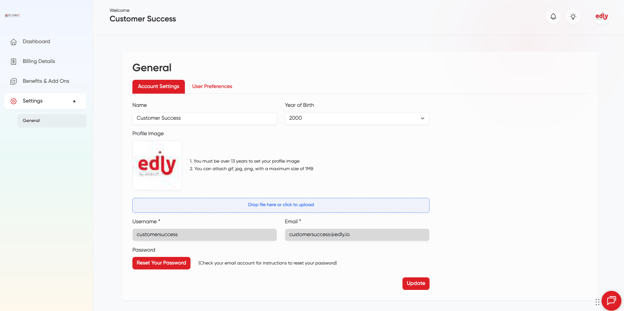
The General Settings page allows the user to manage their personal information like name, email, and profile image. The user can also generate a request to reset the password.
Note: Panel User, Panel Admin and Insights Viewers can only access General Settings page. Read more about the Edly Panel roles in How to Add Users For Different Roles in Edly Panel?
- On the page of Genral settings, the tab named Account Settings allows you to update your Name, Year of Birth, Profile Image, and more.
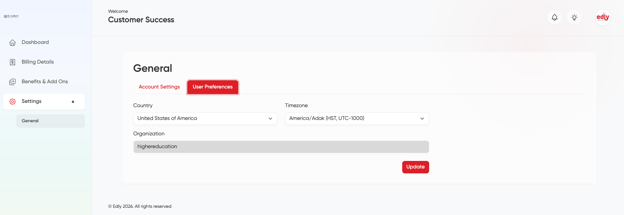
- User Preferences settings allow the user to manage their country and time zone settings.
Billing and Plans
Note: Only the Panel Admin can access the Edly Billing and Plans page. Read more about the Edly Panel roles in How to Add Users For Different Roles in Edly Panel?
First, you need to click the section of "Billing Details" from the left navigation bar, and then on the Customer Portal to view your payment plan
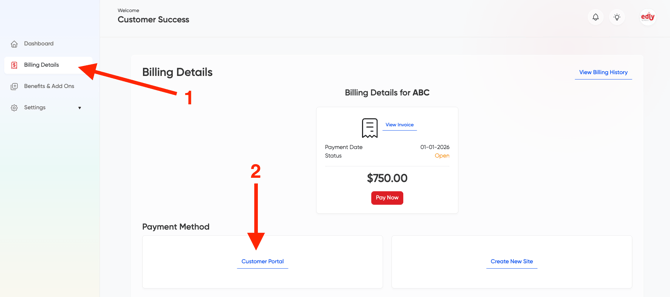
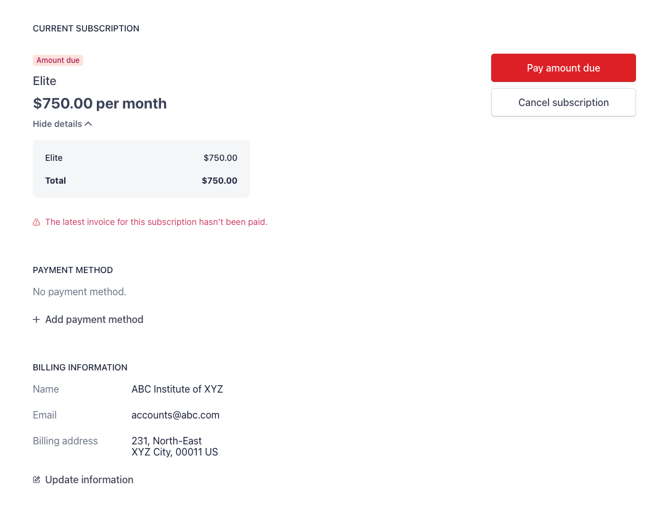
The Billing Details section provides the following information:
- The current month’s MALs.
- The current month’s MAL tier is active for the site.
- The last month's MALs.
- The last month’s MAL tier is active for the site.
- MAL tiers are available in the system.
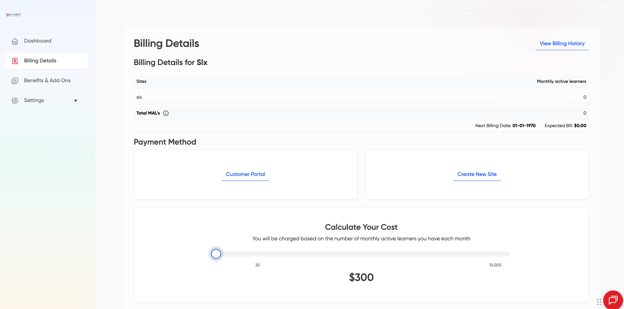
Under the Current Subscription section, you will be able to:
- View card information.
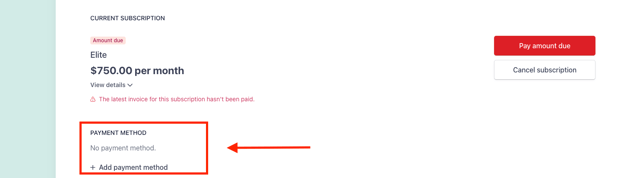
- Add payment method
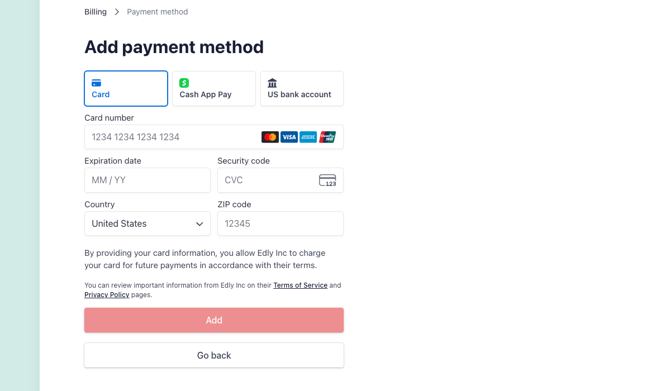
- Clicking on Add/Change payment method opens up a form to enter credit card details.
Invoice History
Note: Panel Admin can only access Invoice History page. Read more about the Edly Panel roles in How to Add Users For Different Roles in Edly Panel?
- The invoice history page allows panel admins to view their Stripe invoice history for Edly.
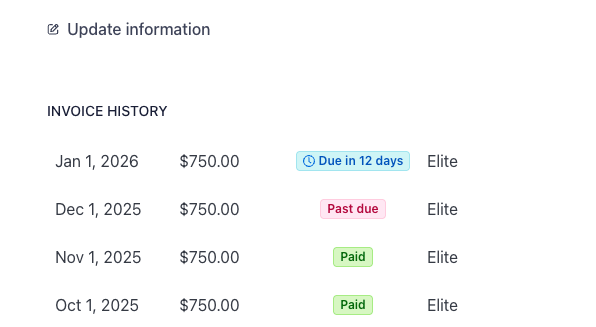
- Users can click on View Invoice to find details for a specific invoice.